How To Access - For Online Bookings
Note to customers - we’re improving access
We’re currently making a few improvements around the site.
Our new sliding gate is due to be installed in the next few weeks, and the building signage will also be replaced soon. The old “Physiotherapy” sign is still visible at the moment - don’t worry, you haven’t accidentally booked a treatment room!
You may see contractors working on site while the improvements are completed. Thanks for your patience while we make the facility easier to access and easier to find.

Our facility operates with secure PIN access
Access hours are 7:00am – 10:00pm daily
1. Temporary Gate Access
Our new keypad-controlled gate is due to be installed. In the meantime, please use the existing entrance - we are to the left of Signs of Cheshire.
2. Entering the Building
Proceed to the white main door. The keypad is located on the left-hand side - enter your access code followed by the # key (e.g. 12345#).
3. Finding Your Unit
A location map is displayed on the foyer wall to help you find your unit.
4. Your Unit & Padlock
Your unit is secured with a padlock, the code is 0000. If you booked online, this padlock is provided free of charge (see instructions below on how to change the code).
5. Security Notice
For your safety and security, please only access your assigned unit. All other areas are alarmed and monitored.
6. Exiting the Facility
When leaving, enter your code on the exit keypad (located to the right of the door). This will re-arm your unit immediately. If skipped, your unit will automatically re-arm after a short delay.
Need Help?
If you require assistance at any time, please contact us.
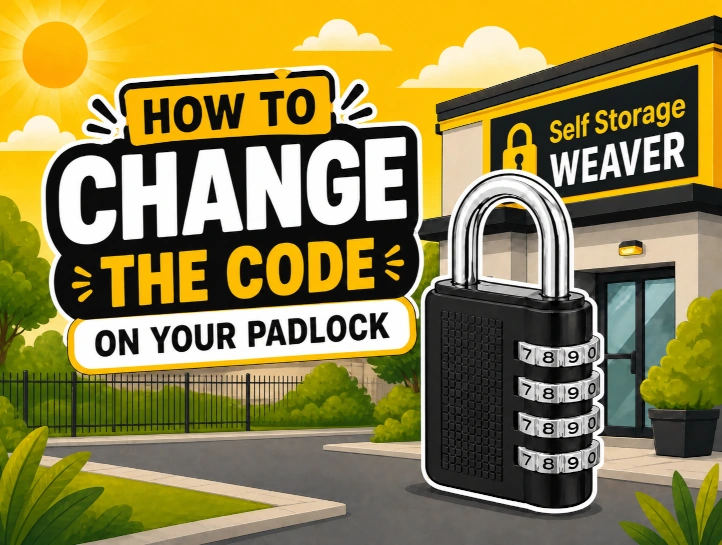
How to change the code on your padlock
Standard type
- Set to default/current Code: Align the 4 dials to the current combination. The factory default is 0-0-0-0.
- Open the Lock: Pull up the shackle (the top handle) to open the padlock.
- Turn the Shackle: Turn the shackle 90 degrees counter-clockwise so that the notch on the shackle aligns with the slot inside the lock body.
- Press and Set: Press the shackle down into the body, then turn the dials to your new desired 4-digit combination.
- Finish: Release the shackle, allowing it to spring back up, and turn it back to the original locked position.
Barrel type
- Set to default/current Code: Align the 4 dials to the current combination. The factory default is 0-0-0-0.
- Open the Lock: Pull up the shackle (the top handle) to open the padlock.
- Turn the barrel body which is on the right-side: rotate the body 90 degrees clockwise.
- Set your new code - turn the dials to your new desired 4-digit combination.
- To finish, rotate the right-side barrel body back to it's original position.
Frequently Asked Questions
How can I change the code on my padlock?
Steps to change the code:
- Set to the current code
- Open the lock
- Turn the shackle 90 degrees (align the notches)
- Press shackle down into the body
- Turn the dials to your new desired 4-digit combination
- Finish by releasing the shackle
I booked online - how do I verify my identity?
Verifying your identity is a quick and easy process. Click the 'Verify identity now' button in your welcome email. From here, you will be prompted to take a photo of your id. Once submitted, your access code will be emailed to you within seconds.
I booked online - do I have to verify my identity online?
No. We can arrange for identity verification at our reception. Please contact us and we will arrange this.
What documents do I need?
You simply need a valid form of identification. This can be a passport, driving licence, or national identity card.
How do I open the gate?
Our gate is operated via a keypad - simply enter your access code and press #.
How do I exit?
If inside the building, enter your code on the keypad to the right of the door to alarm your unit. To open the sliding gate in the car park, tap the 'Push to Exit' button.
Is the padlock free?
We include a free padlock for customers that booked their unit online.
Can I bring in a car or van?
Yes - our gates can accommodate large vans and we have plenty of space in our car park.
What times can I access my self storage?
Your code will allow automated access between 7am and 10pm daily.
42 Winnington Avenue
Northwich
CW8 4EE